
Case study
Smart – Ready To
Client: Daimler Mobility Services
Country: Germany
My role: UX Consultant & Lead Designer
Released products: iOS app, Android app
Context
Daimler Mobility Services set out to create a solution that would distinguish the Smart car brand from competitors as a meaningful urban connected vehicle.
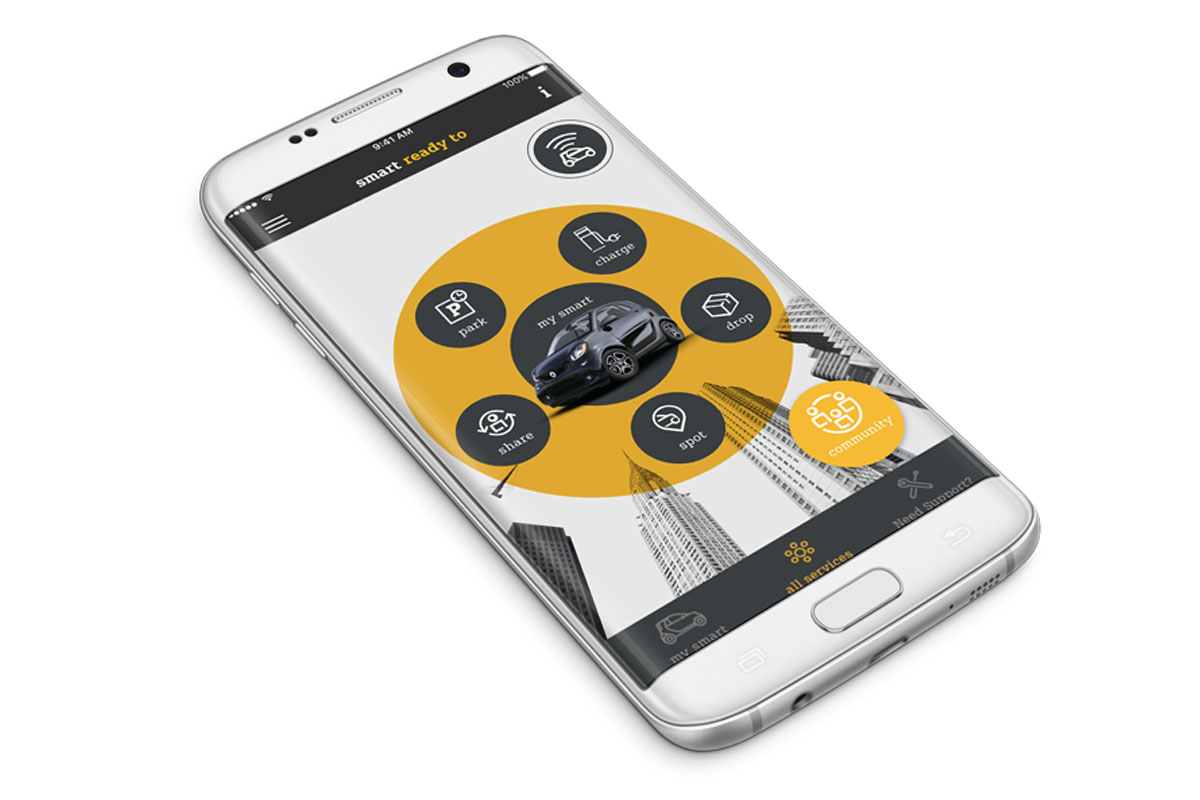
The Smart “Ready To” app is the outcome of this initiative and it’s available for Smart customers in the Apple app store and the Google play store.
The challenge
Overall goal
Develop a set of meaningful features that increase customer loyalty of existing Smart car owners and attract new prospects to choose a Smart over a competitor vehicle.
Deadline
From project start until the first public release, the team had six months to deliver the product for the german market, in line with Daimler-internal deadlines (automotive fairs and car release schedules).
Constraints
The product needed to fully integrate with a number of existing and upcoming Smart car models (telematic dependencies) and comply with existing Smart brand design guidelines and German privacy regulations.

Process
In order to face the challenges, the development of the product was split into several stages:
- discovery & ideation using design thinking
- internal releases (agile sprints)
- Usability testing & final delivery
Discovery & Ideation using design thinking
For the project kick-off, I co-facilitated a two-day design thinking workshop with relevant Daimler stakeholders (product management, marketing, technical experts).
Workshop outcomes included:
- persona & empathy map
- “as is” user journey
- user needs & big ideas
- requirements & prioritisation
- “to be” scenario storyboarding
- first paper prototypes
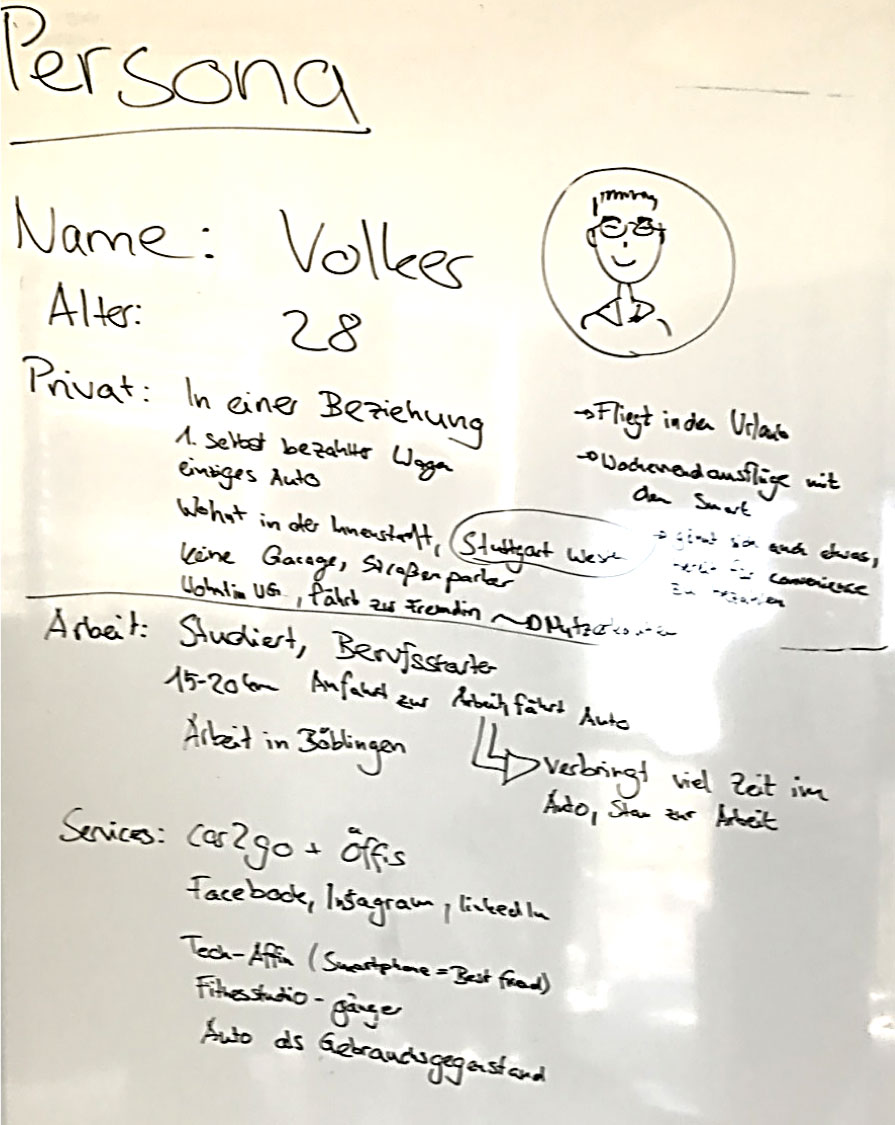
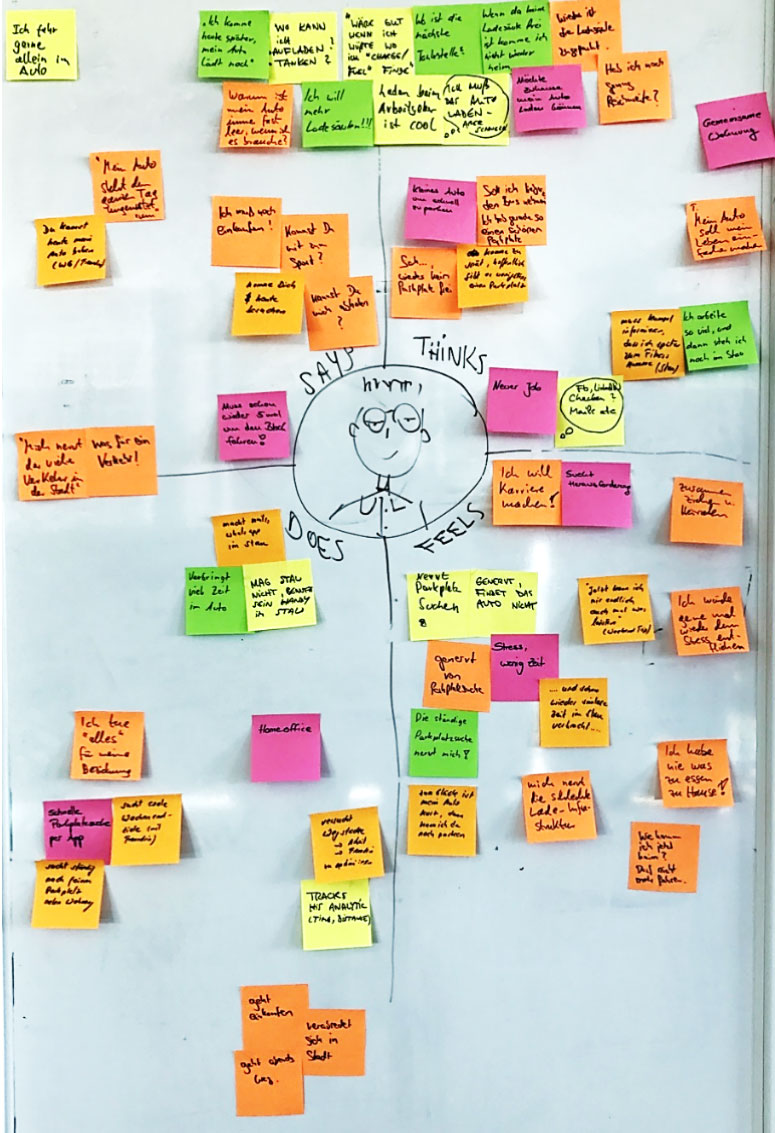
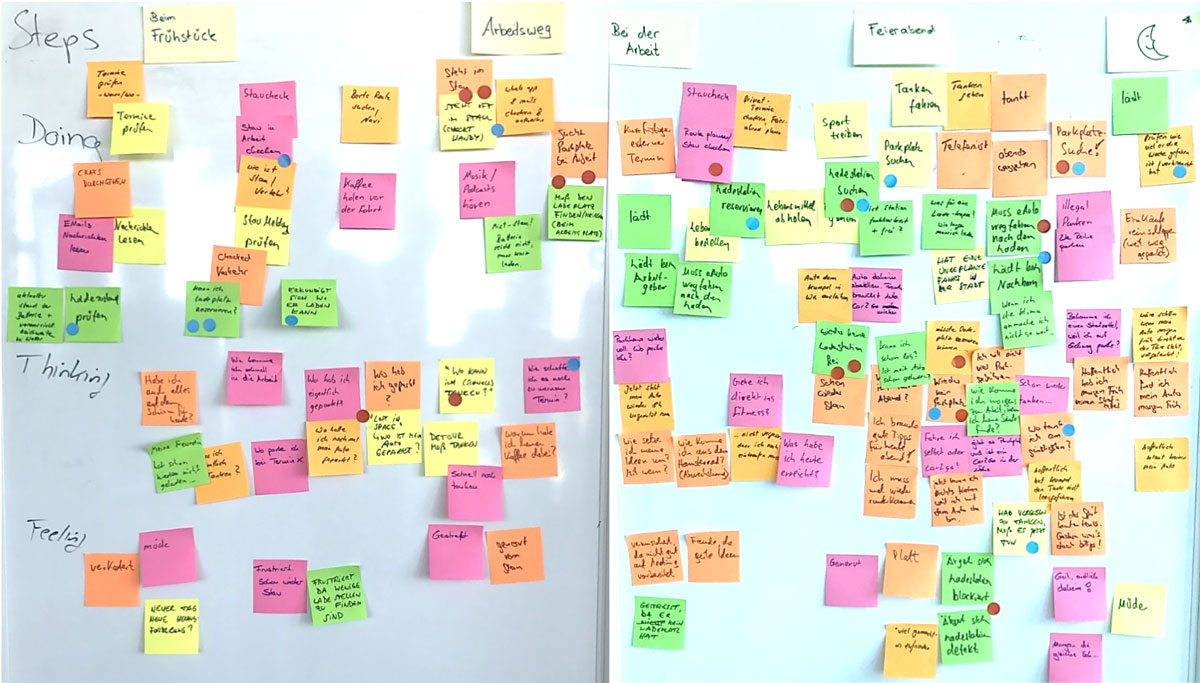
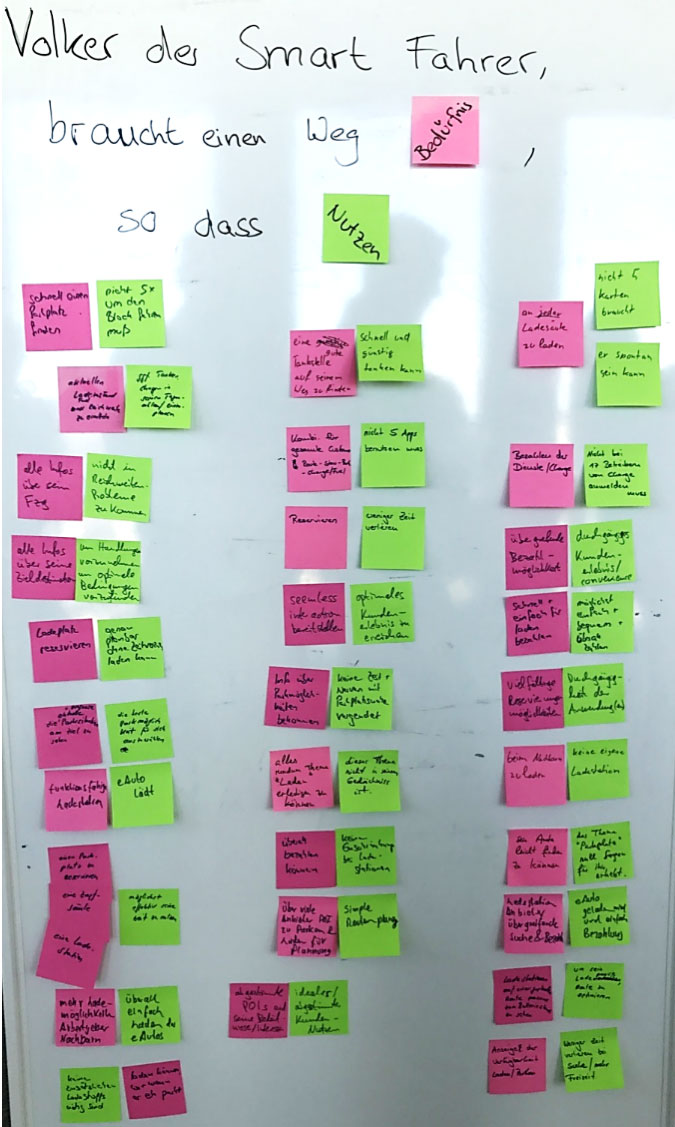
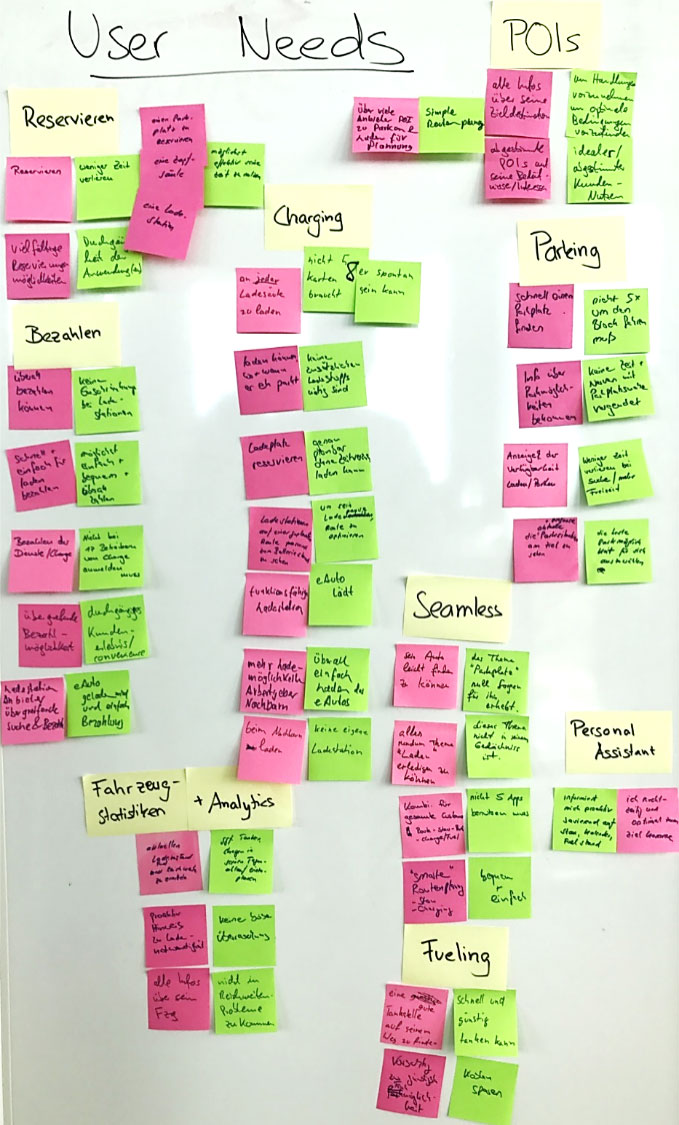
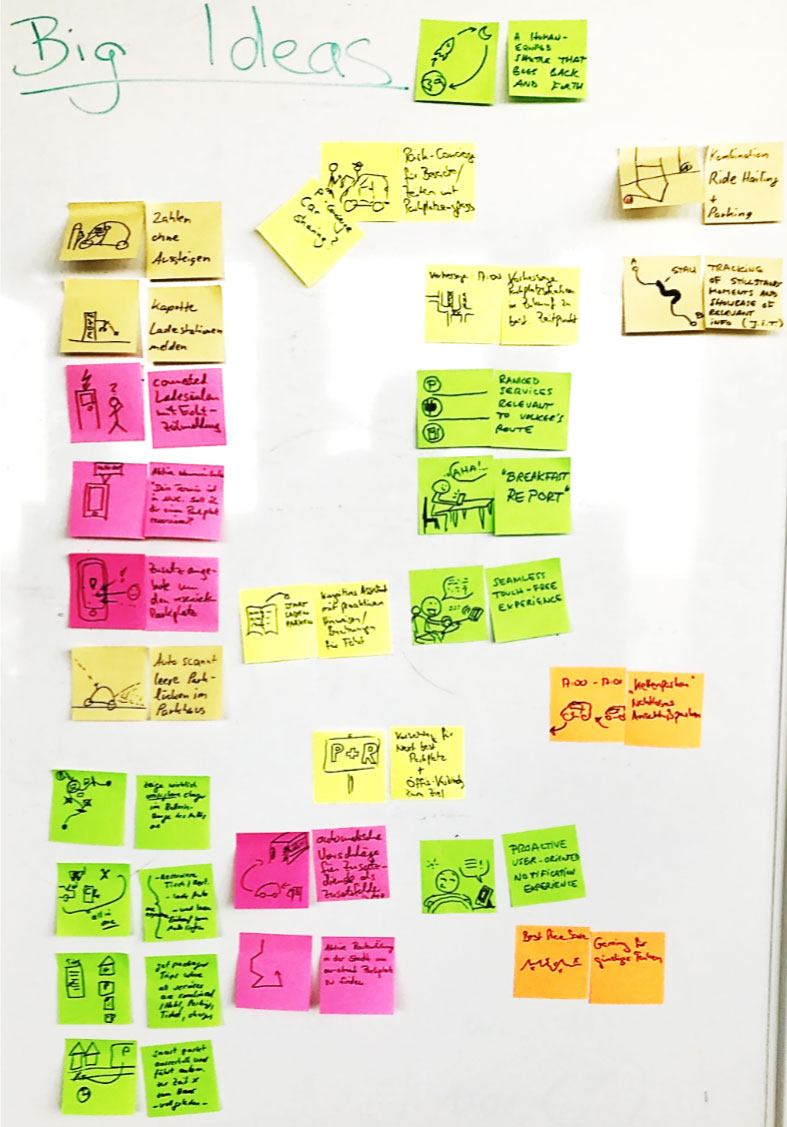
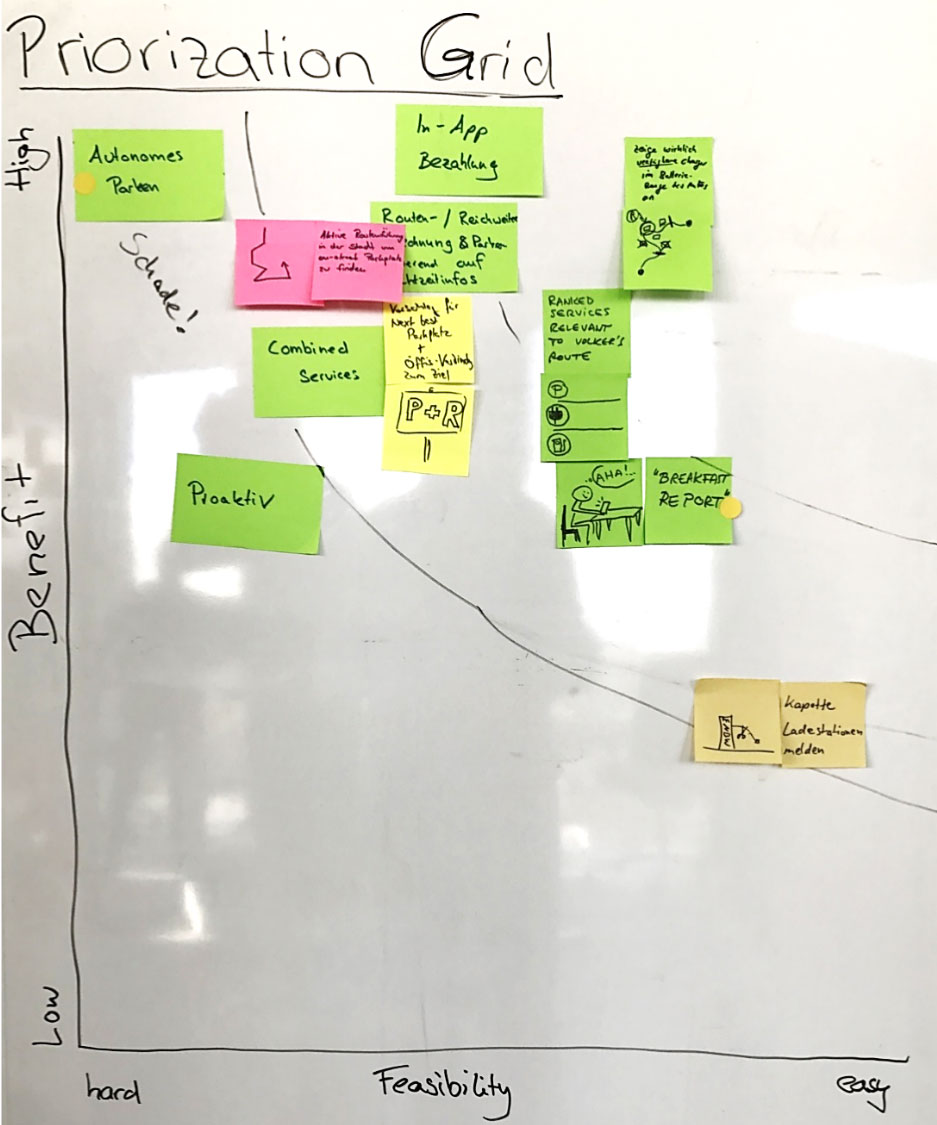
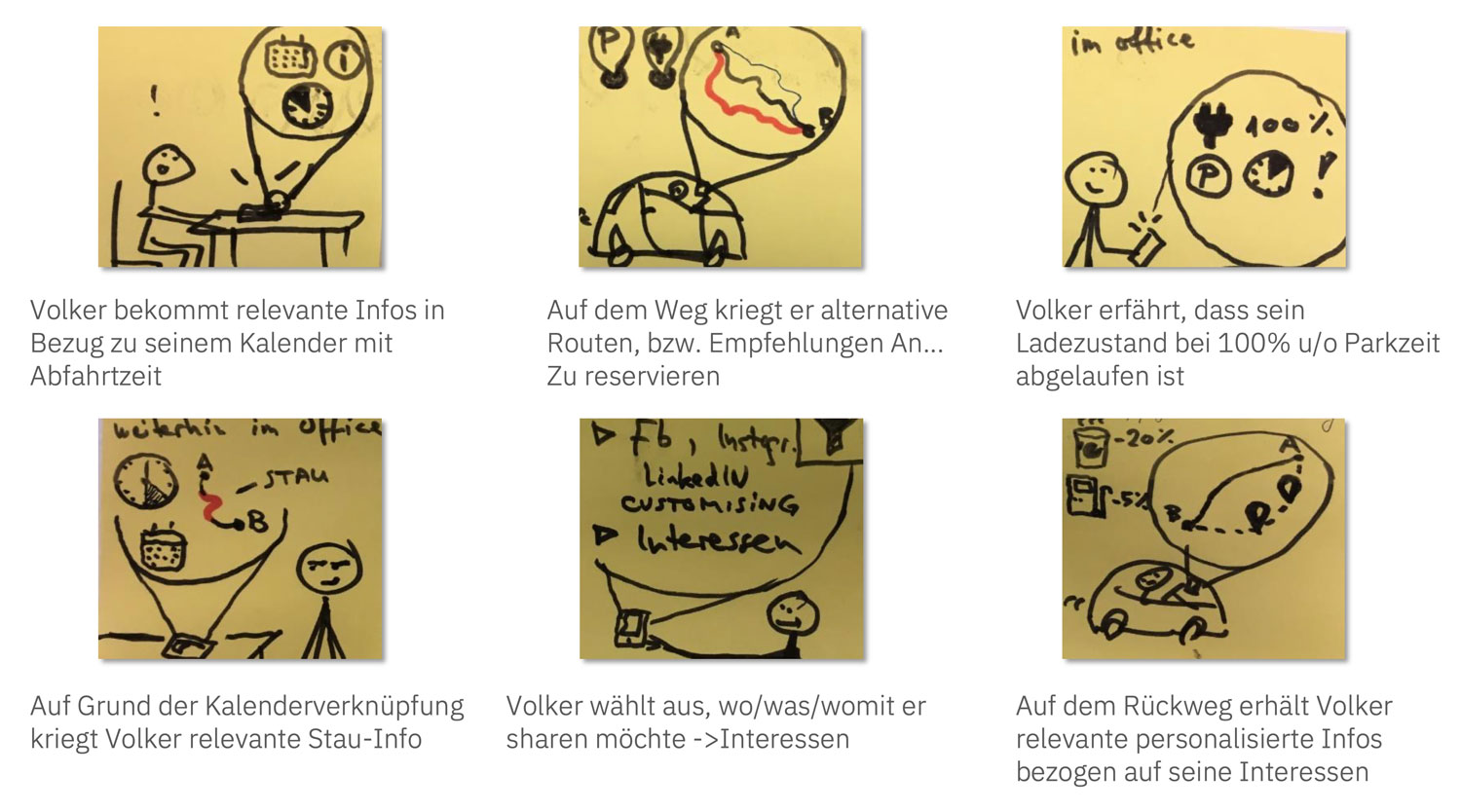
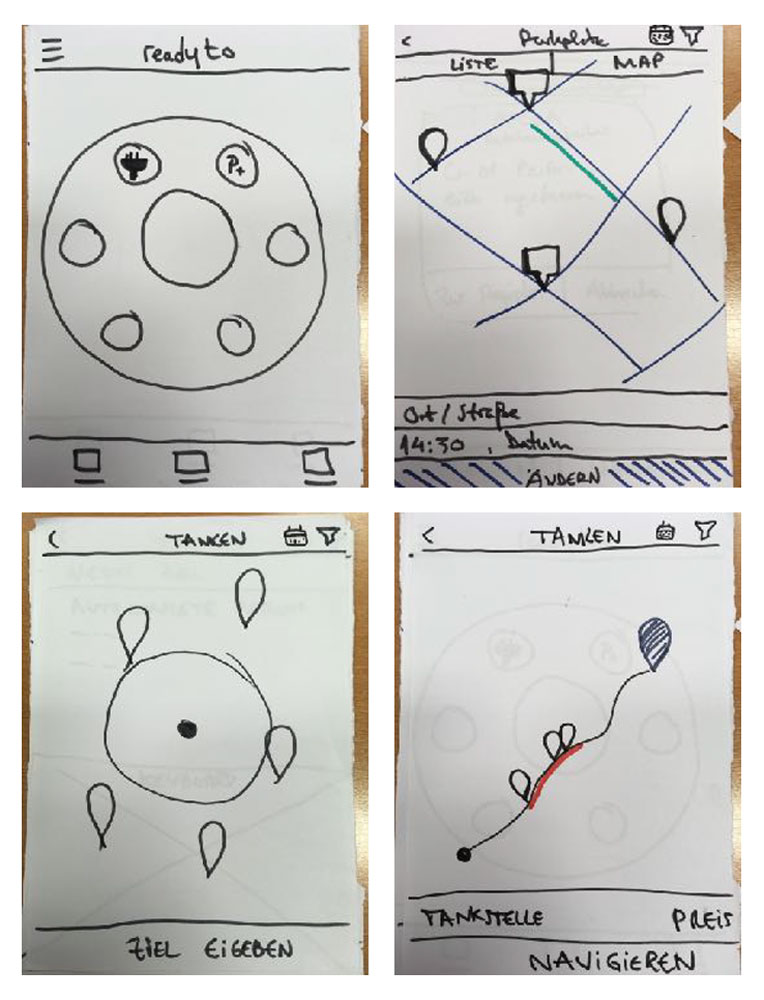
The workshop, using the design thinking methodology, allowed relevant stakeholders to co-create and align on a common vision in days rather than weeks or months.
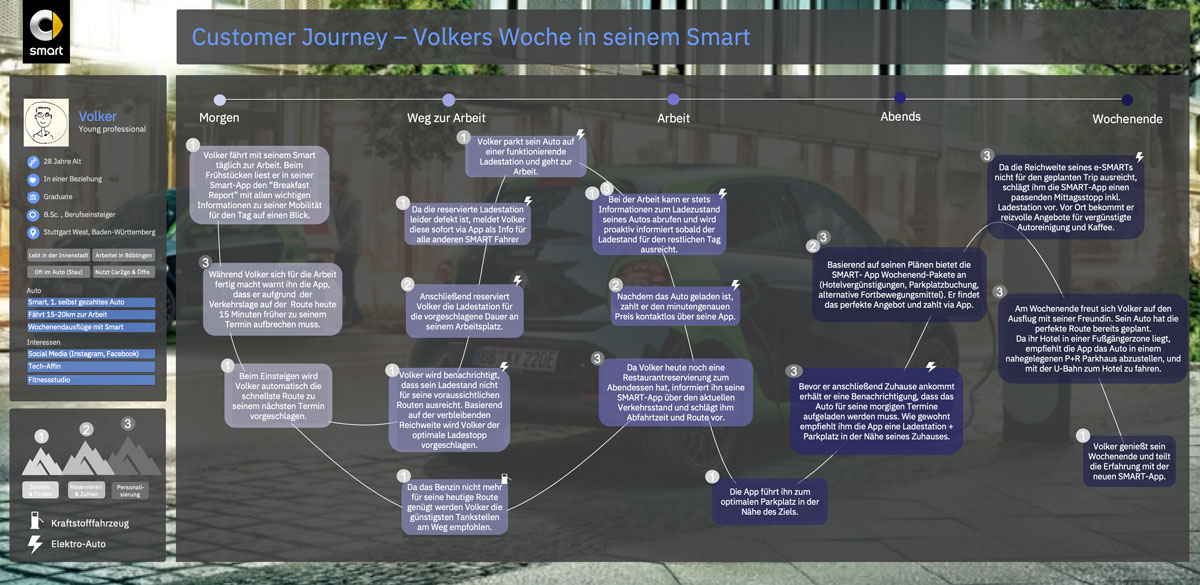
The customer journey documented how Volker (our persona) would benefit from the new product in his daily life. This asset enabled Daimler stakeholders to emphasize with the goals and needs from a user perspective and validate the journey.
Internal releases – Agile Sprints
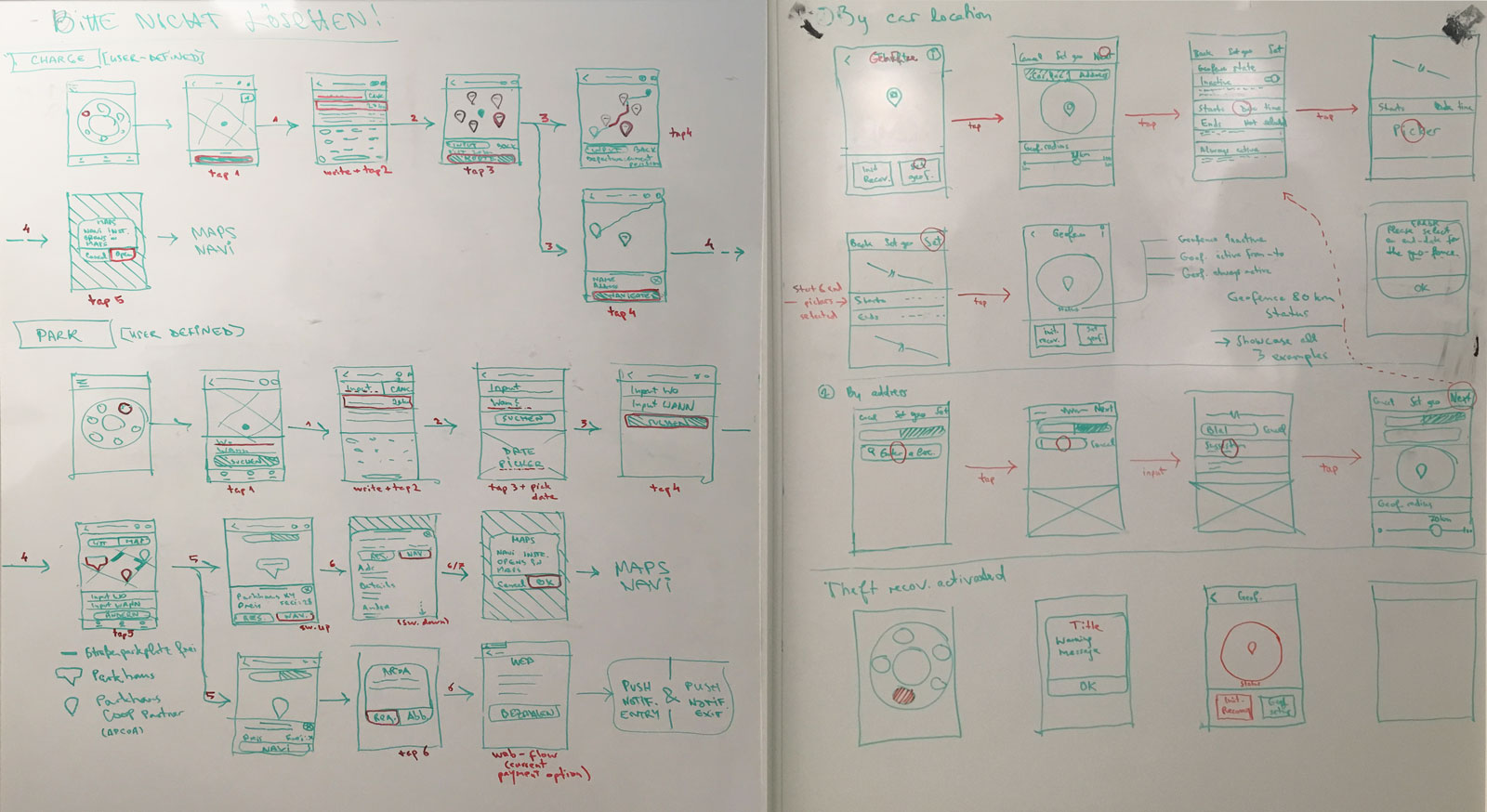
Sprint 0 was used solely to define the broad user flow. Using the foundation established in the discovery and ideation phase, I drafted wireframes of the overall flow and used these as a reference point to design the first interactive low-fidelity prototype.
The prototype was tested and iteratively improved with the help of the team. This low-fi asset served as the foundation for the backlog and the upcoming sprints, after it was validated by the stakeholders.
I co-created the backlog (epics and high-level stories description) used for of the product development.
The next eight sprints were used to build the features as defined in the backlog. During this phase, I designed the high-fidelity screens for the iOS app version and supervised the design of the hi-fi screens for the Android app version.
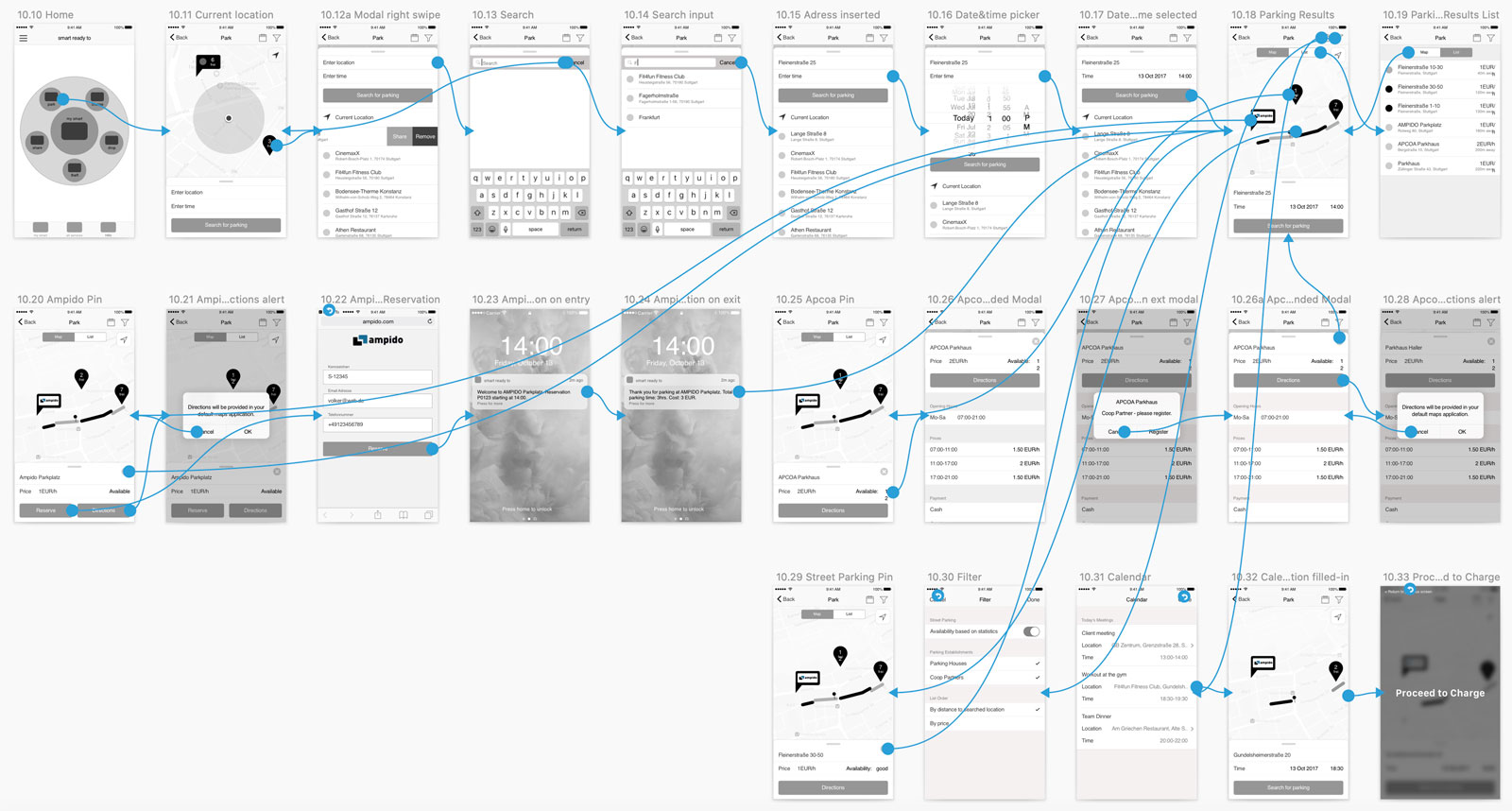
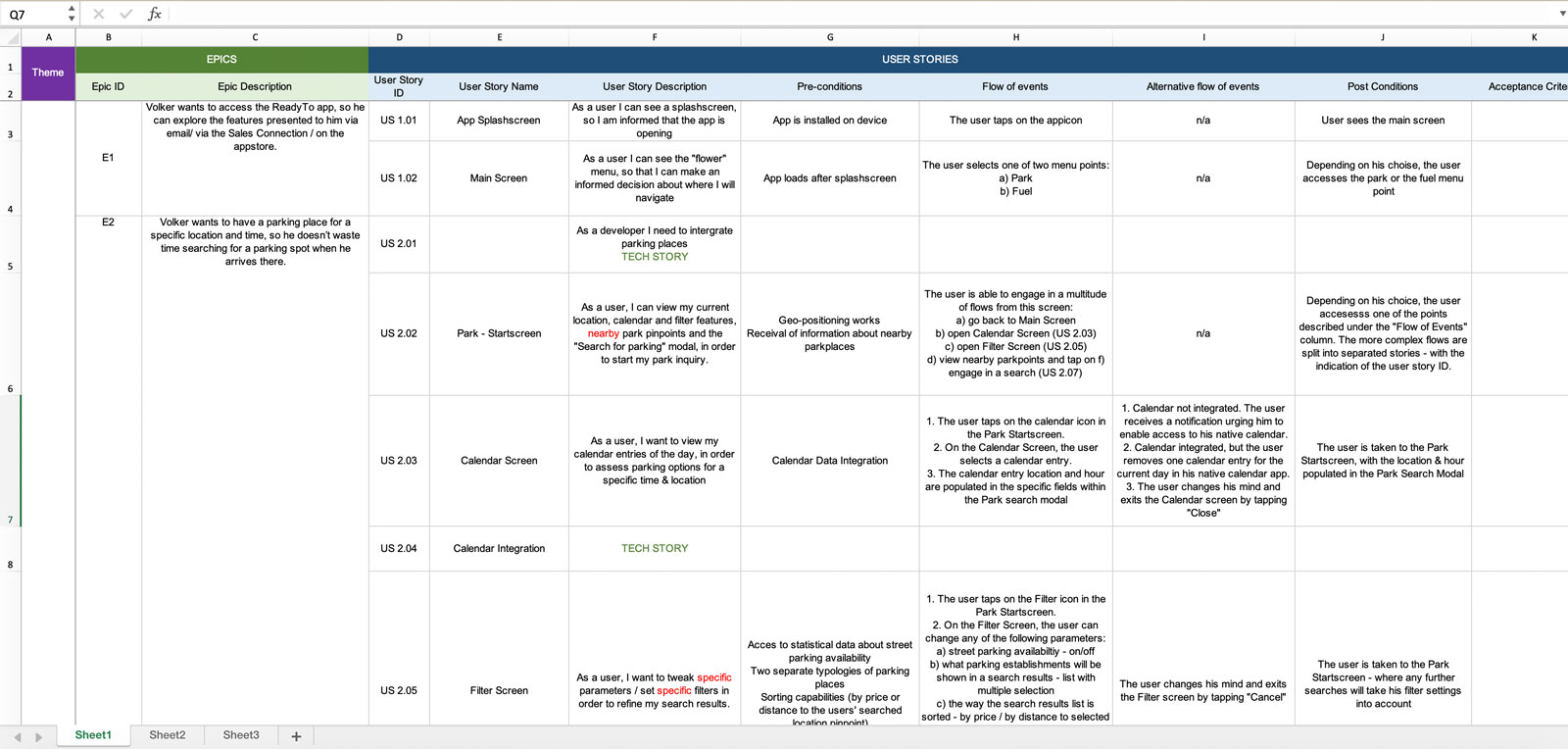
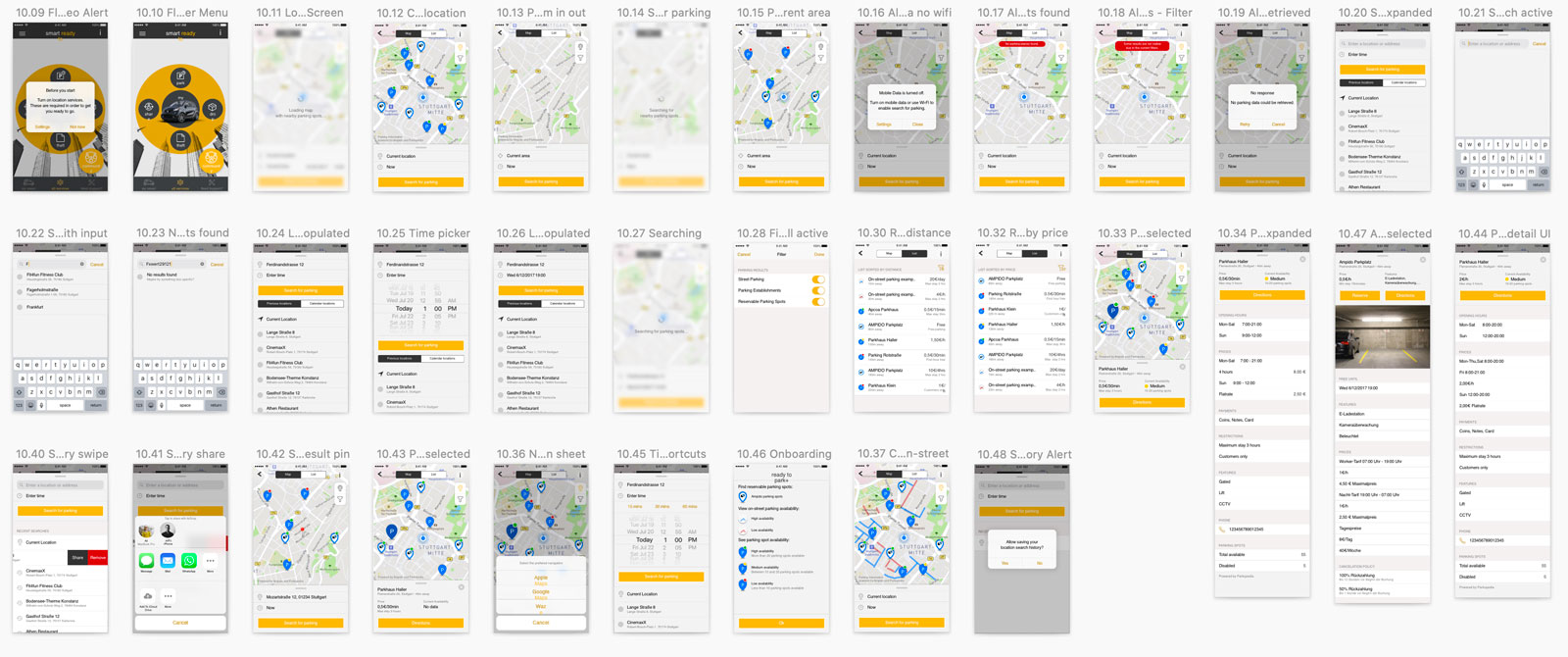

Using Invision for showcasing the user story flow to the developers, Flinto for granular animation & interaction depictions and Zeplin for easy inspection ensured that the design was implemented as planned and the sprint targets were always achieved.
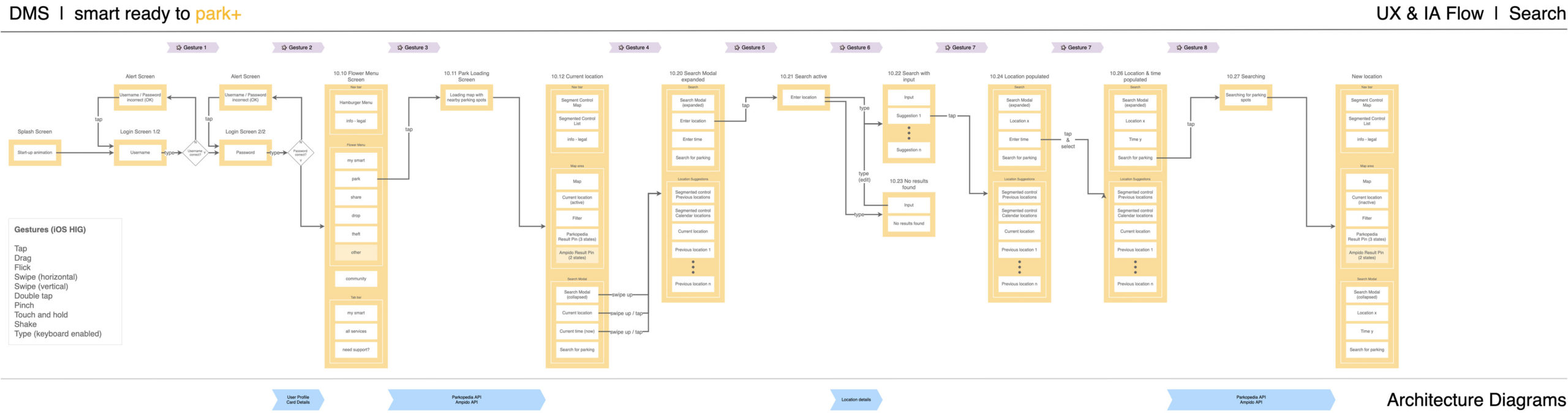
During the sprint cycles, I created information architecture diagrams which offered a clear understanding of the steps and required interactions. Such assets improved focus on the outcome throughout the team, by providing a relevant snapshot for backend and frontend developers alike.
Usability testing & final delivery
In the last month before the final release, I focused on usability testing of the developed iOS and Android apps.
For each major feature, I’ve created roughly 10-12 tasks to be performed. The 10 test participants were selected to fit to our persona description.
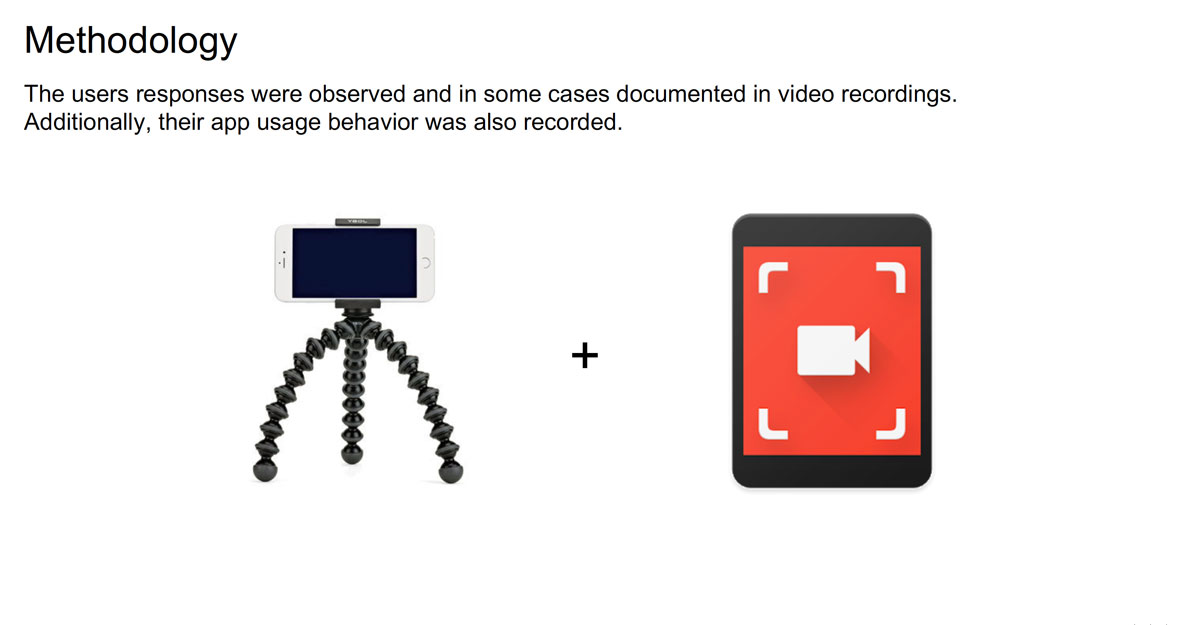
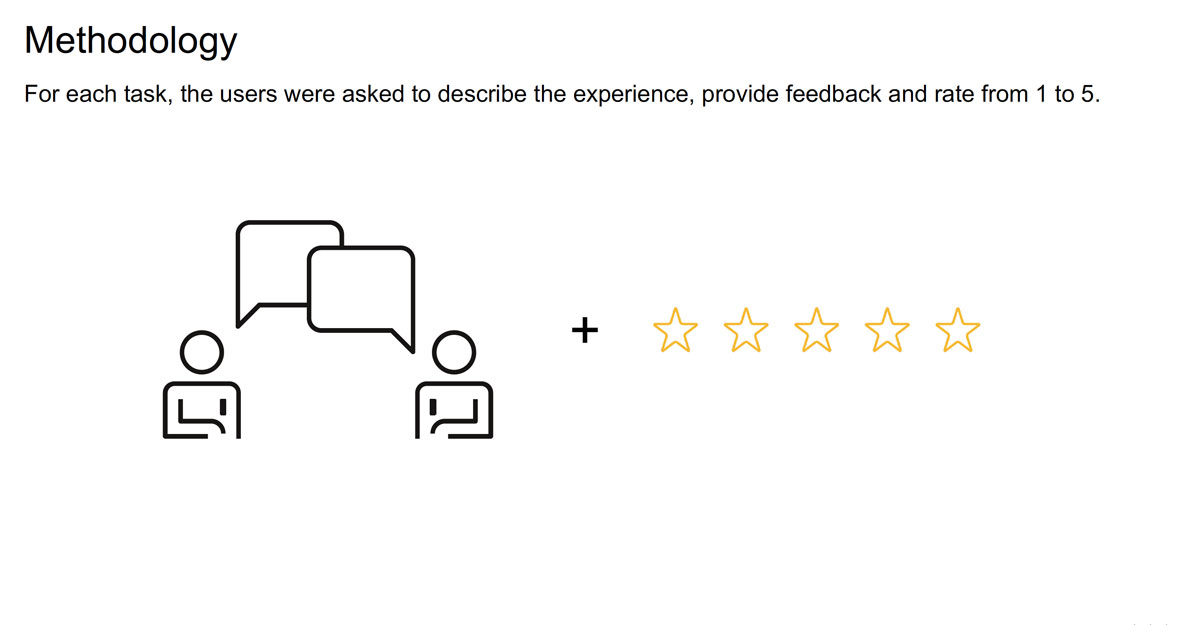
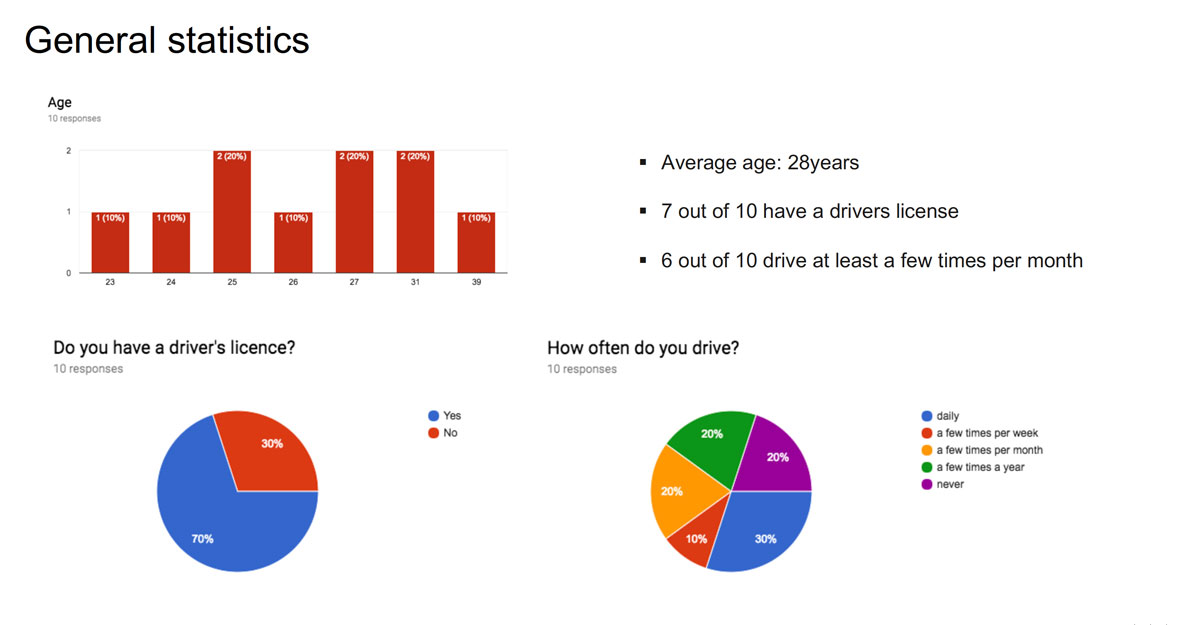
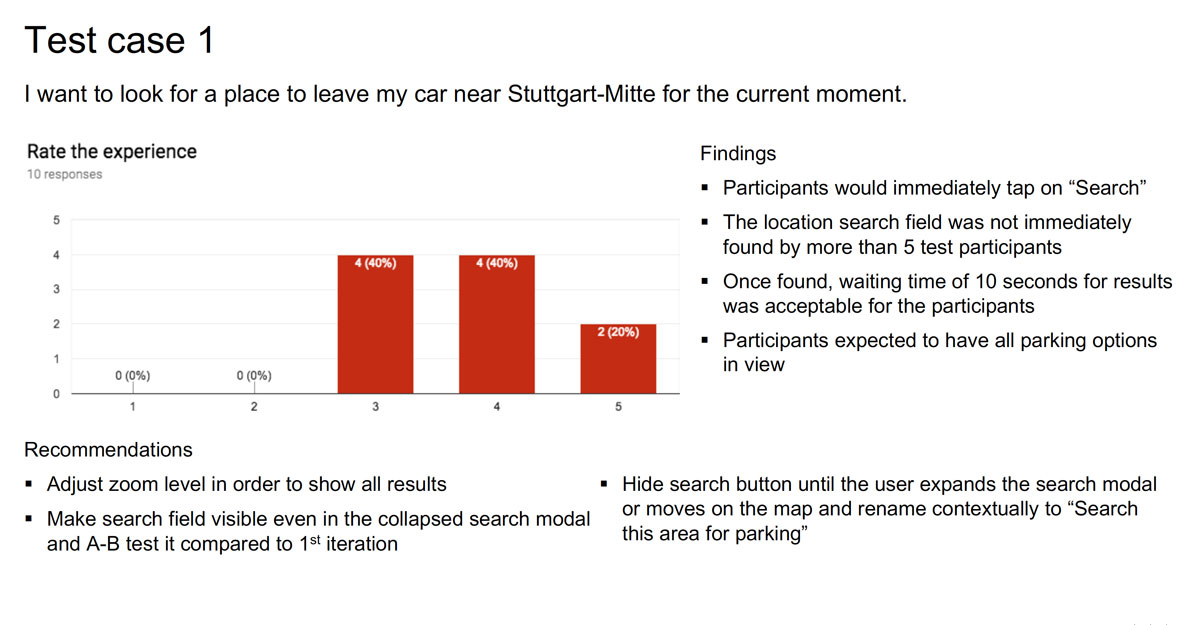
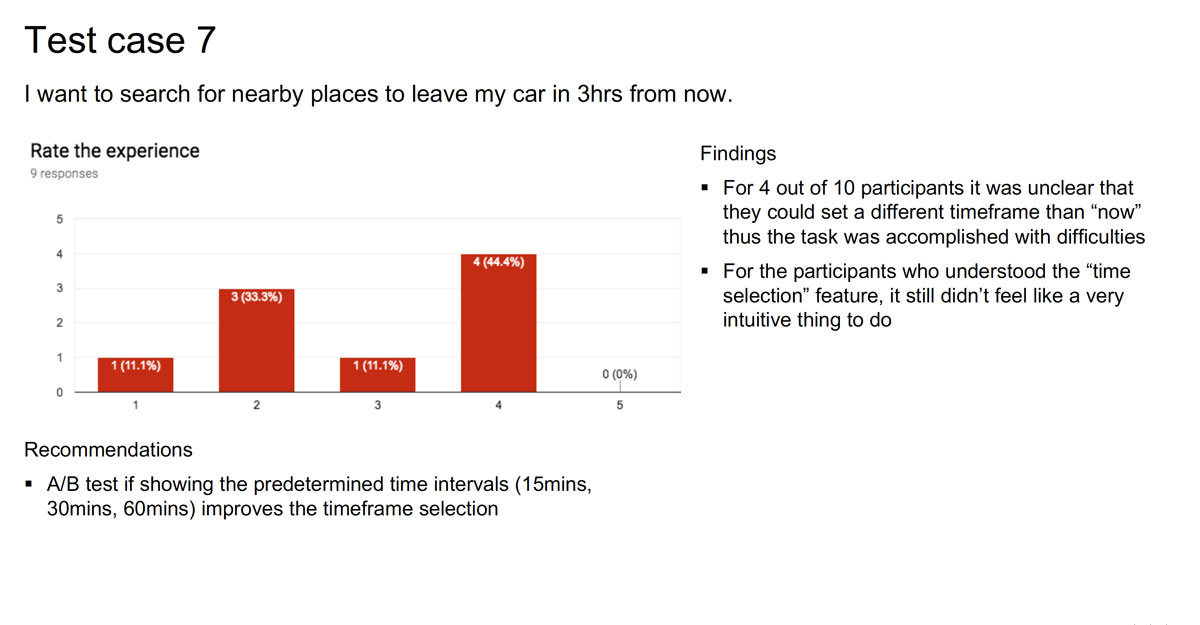
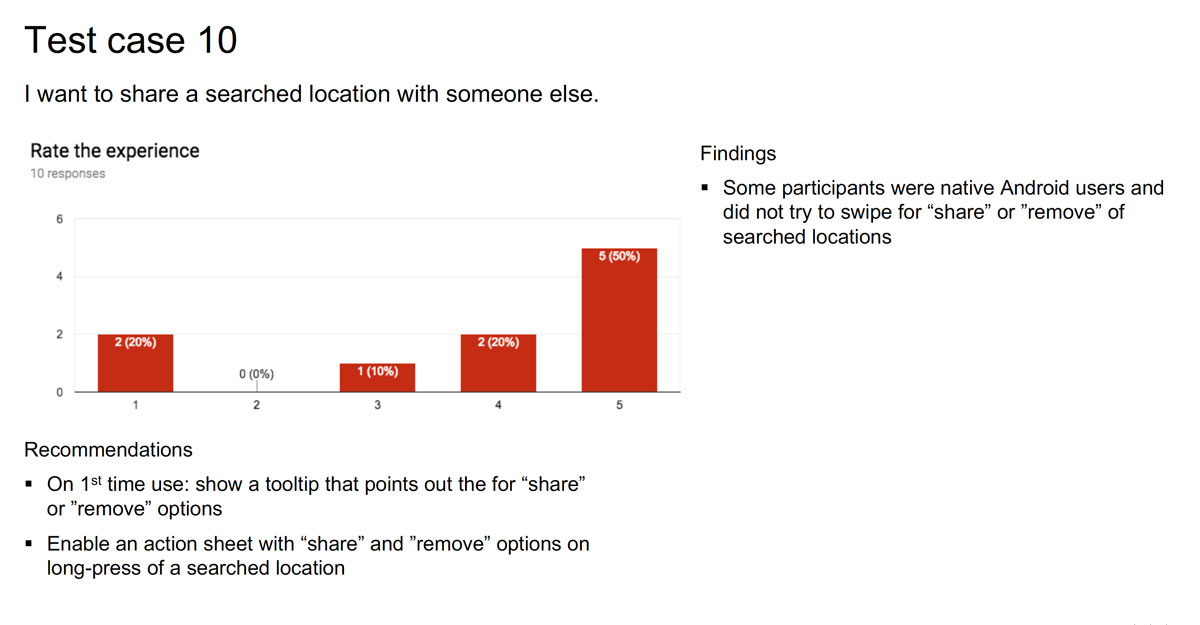
The usability test findings helped refine the app before the public release. Key elements were added or modified throughout different features. Elements like onboarding screens, helpful 1st-time-use tooltips and option previews as well as multiple gesture options (long press / swipe) to perform particular tasks.
Solution
The delivered solution focused on four key needs of urban car drivers: park, charge, spot my car and theft recovery. These were developed by addressing the pain-points and findings from the discovery phase.
Park
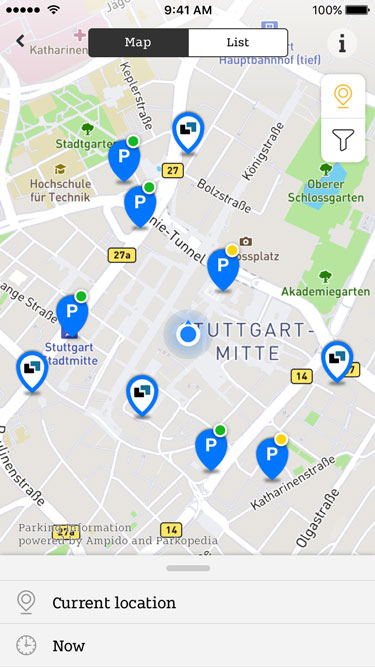
“I want to find and ideally reserve a parking spot without hassle”
A study revealed that german drivers spend 41 hours per year searching for parking spots. As much as it is a frustrating experience, the digital parking market is in fact on the rise. We took advantage of this opportunity and partnered with major parking data providers in Germany (Parkopedia & Ampido) in order to integrate their data in our app.
Spot
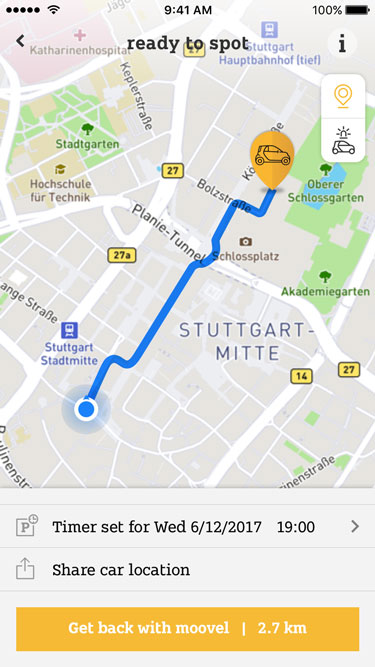
“I want to find my car when I forgot where I parked it”
A very common pain-point in large urban areas, not being able to find your way back to your car, is the centre-piece of this feature. The feature helps users navigate back to their car and allows setting timers – e.g. for when the parking time expires.
Fuel / Charge
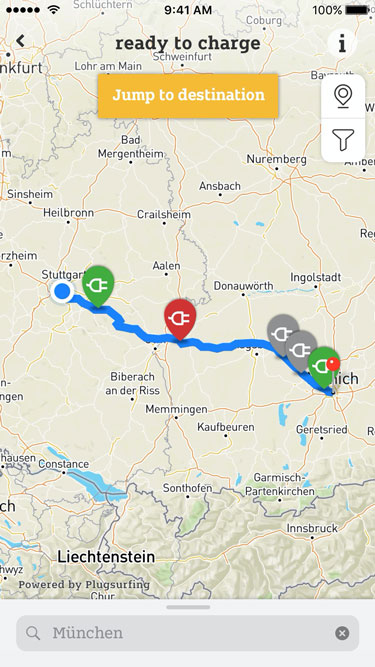
“I want to find tank/charging stations that are affordable and/or in my vicinity.”
In order to build a competitive feature, I researched existing tank/charge station apps (ex CleverTanken, PlugShare App) and shaped the experience around critical elements: search, viewing POIs on map, filtering and getting directions. The UI design had to keep track of existing data models that came from pre-existing Daimler-based content providers.
Theft recovery
“I want to be notified if my car is stolen and have the ability to act on it asap”
Hopefully this is the feature that people are never going to need. But if it does happen that your car is moved from it’s current location without your consent, the feature notifies you and allows you to contact the authorities and create a theft case within the app.
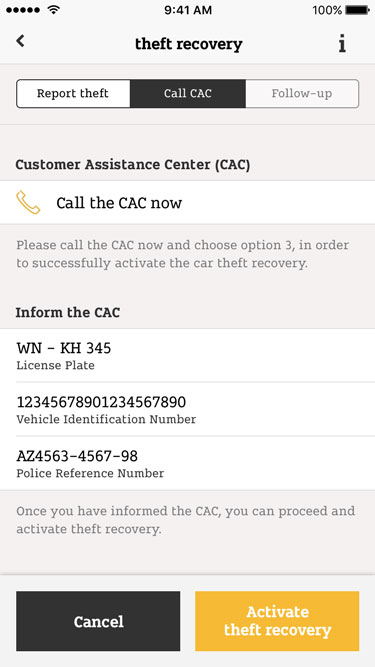
The high-fidelity UI is based on native design principles, patterns and using standard components from the Apple HIG / Material Design System wherever possible. This design strategy ensured that the solution could be built fast, tested fast and improved fast. A factor that was also considered, as per business requirement, is that the app reflects Smart’s brand design guidelines.
Prototyping with Flinto allowed me to create more complex interaction patterns and animations. Such assets were helpful for all stages of the product development, enabling the stakeholders to better grasp the vision and the developers to better understand how the final product should behave in the built version.
Results
Smart ads 2021 – Video courtesy of Mercedes-Benz AG
More than five years after the first release, three of the developed features are offered in the most recent version of the app: park, spot and theft recovery. Visually the app has been updated and new features were added, however the core concept developed in 2018 is as relevant now as it was then.